Posted on Leave a comment

Why is web design important to your audience?

Why-is-web-design-important-to-your-audience

Website appearance is just one element of web design; audience engagement and retention are equally significant considerations. In the digital era, when people spend most of their time online, a well-designed website is more crucial than ever. This article will discuss the importance of web design for your audience and how it impacts your internet presence. 

Understanding Your Audience

Before diving into web design’s importance, understanding your audience is essential. Knowing your audience and what they expect from your website can help you design a website that resonates with them. Your website should be tailored to meet the needs and preferences of your target audience, ensuring a seamless user experience.

Making a positive first impression

Your website is the face of your brand online. Your website’s first impression on your audience can be the difference between gaining a loyal customer or losing them to a competitor. A well-designed website can create a positive first impression, making your brand more memorable and trustworthy.

Improved user experience

A website can significantly improve the user experience. A website that is easy to navigate, with clear and concise information, can help your audience quickly find what they need. This can lead to increased engagement and higher conversion rates.

Reflecting on Your Brand Identity

Web design is not just about creating a visually appealing website; it’s also about reflecting your brand identity. Your website should be consistent with your brand’s message, tone, and values. This helps establish trust with your audience, increasing loyalty and brand recognition.

Mobile Optimization

In today’s mobile-first world, it’s essential to have a website optimized for mobile devices. Responsive web design ensures your website can be viewed on any device, from desktops to smartphones. This can increase engagement and improve user experience, as your audience can access your website anytime.

Search Engine Optimization (SEO)

Web design can also impact search engine optimization (SEO) efforts. A well-designed website with clean code and optimized images can improve loading speed, which is crucial for SEO. A website with a clear structure and hierarchy can help search engines understand your content. This makes it easier for them to rank your website for relevant keywords.

Building Trust with Your Audience

A well-designed website can build trust with your audience. An outdated or unprofessional website can make your brand appear untrustworthy, decreasing engagement and conversions. A well-designed website can convey professionalism, making your brand more trustworthy in your audience’s eyes.

Posted on Leave a comment

Expert Tips To Retrieve Corrupted Videos Like A Pro

Effective Methods to Retrieve Corrupted Videos Professionally

Videos rank among the most valuable digital memories, encompassing unforgettable moments, essential work projects, and educational content. Yet, there’s nothing more frustrating than attempting to access a video file only to discover it has become corrupted or damaged. This can happen due to unforeseen software crashes, hardware issues, or improper storage methods, leading to significant stress. Fortunately, recovery is achievable with iTechnology Australia, a trusted name in data recovery, utilizing the proper techniques and tools.

If you require expert help, pursuing professional IT services like data recovery in Perth can assist you in retrieving even the most difficult misplaced or damaged files.

Innovative technology training sessions at iTechology Australia for IT professionals and students in Sydney.


Now, let’s explore the effective steps and solutions to recover your damaged video files successfully. Knowing that there are solutions and that you’re not alone in this can bring a sense of relief.

What leads to Video file Damage? 

Prior to jumping onto the recovery process, it is imperative to acknowledge the leading causes behind the video files getting impaired in the first place. Some prevalent factors encompass: 

  • Unexpected power failure

An unforeseen power interruption during the transfer or editing of files can lead to the corruption of video files. This can result in losing valuable content and hours of hard work. 

  • Unknown viruses or malware attacks

Malicious software can corrupt or modify the structure of your files. 

  • Inadequate file transfers

Interruptions during file transfers can lead to incomplete or corrupted video files, compromising the quality of your content. Ensuring a stable connection is crucial to maintaining the integrity of your files and avoiding the frustration of having to redo your work. Protect your valuable data with iTechnology Australia, where we prioritize reliable transfer methods.

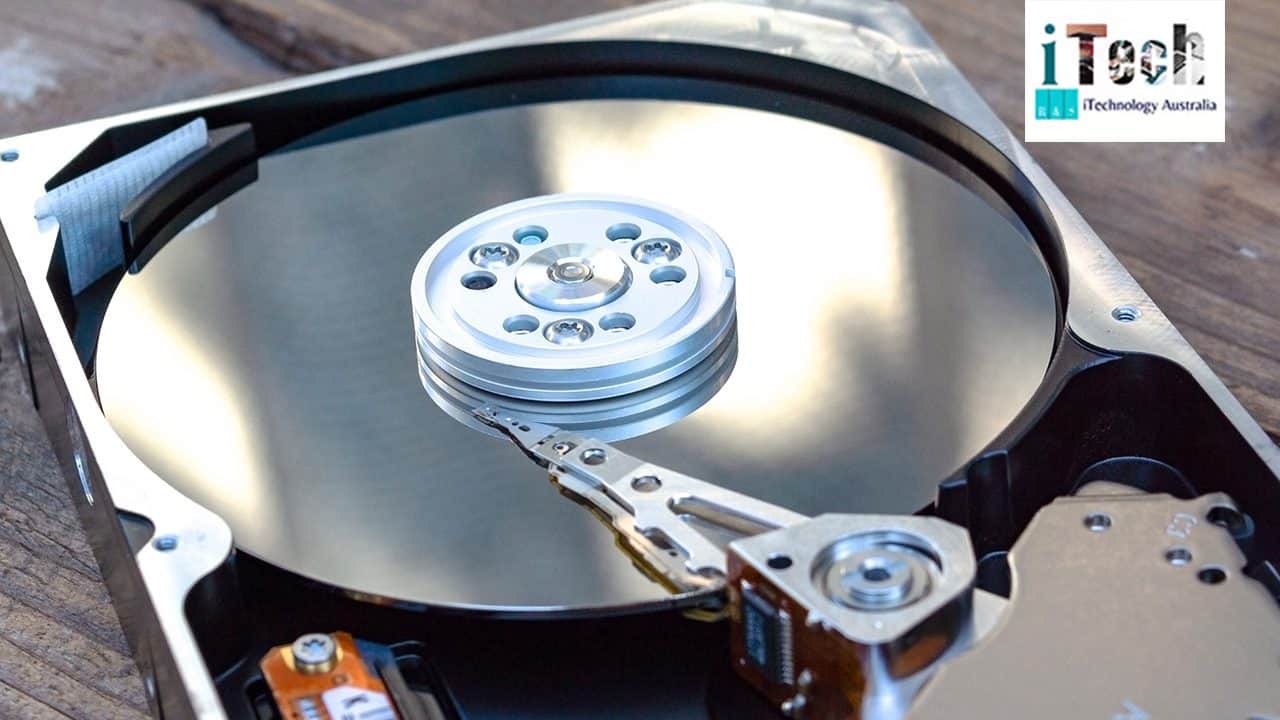
Hard drive with circuit board and code, data storage technology, IT support, solutions, cyber security, IT Australia.


  • Impaired storage device

Hard drives, USBs, or SD cards with severe physical or logical damage may destroy files stored on them.

  • Unsupported codecs

Using incompatible software to play or edit a video file can lead to file corruption. This not only jeopardizes your precious work but may also result in the loss of valuable content. 


Receiving a thorough understanding of the main factors impacting video files may assist you in taking proactive steps in the future. 

Steps to recover damaged video files 

Follow these profitable steps to address and retrieve your impaired videos: 

  • Incorporate effective video repair software

Numerous video repair apps or tools are readily accessible and specifically developed for fixing corrupted files. These result-driven tools scan your file, address the root cause of the concerns, and retrieve it in a working format. Some of the renowned tools prevailing in the market include: 


  • Stellar Repair for Video
  • Wondershare Repairit
  • Remo Repair


Install the corrupted file into the software, and precisely follow the on-screen instructions to repair it. 

  • Retrieve data from the backup

If you’ve taken the initiative to back up your videos, you’re in a fortunate position. Double-check your external hard drives, cloud storage, or any other backup tool where the video files might be saved securely in their perfect, undamaged state. 


Ensure to check the regular backups of your specific videos or other files to prevent irreversible loss. 

  • Look for hidden errors on your storage device

Sometimes, the problem may lie outside the video file itself, but rather with the storage device. It’s essential to perform a diagnostic scan on your hard drive, SD card, or USB drive to identify any potential errors. Use proficient tools such as: 

  • CHKDSK (windows) 
  • Disk utility (Mac) 


Correcting errors on your storage device can alleviate the video damaging concerns.

  • Change the video file format

If the video is not responding because of a codec or incompatibility, converting it into a different format, such as MP4, MOV, or AVI, might resolve this issue. You can do this using tools like HandBrake or any effective video converter tool. These tools allow you to modify the file format while keeping top-notch quality in mind, ensuring that your video is playable on a wide range of devices and platforms. 

  • Contact the data recovery specialist

If any of the above-discovered steps do not work, it is time to experience professional assistance. At iTechnology Australia, we offer unforgettable and reliable data recovery solutions while incorporating the latest tools and strategies to restore your files with less or no data loss. 

What makes us the best choice?

Damaged video files may feel very distressing and overwhelming. However, recovery is typically accessible with the appropriate steps. At iTechnology Australia, we take pride in delivering higher success rates using efficient repair tools. Our cutting-edge strategies and proven technology make us the leading name in fields like data recovery in Perth

There are solutions for almost every problem.  Furthermore, Our expert IT team tackles every challenge with accuracy and discretion, guaranteeing the safety of your files. We cater to various brands and individuals and are committed to providing outstanding customer satisfaction and customized solutions. Don’t wait–contact us now and observe the difference yourself. 

Posted on Leave a comment

Not Able to Charge Your Laptop? Here Are Some Troubleshooting Tips

Tips on charging your laptop

Your Laptop isn’t charging without any proper reason, It’s a situation to be in a panic. The laptop not charging is a problem that needs quick attention. You can’t overlook it as you won’t be able to work in a few hours if you do not address it. 

Even if you checked the cord and power supply, there are some other reasons for your Laptop not charging. 

Let’s go through the reasons for and solutions to this situation. 

What could be the reasons behind the Laptop not charging?

  • If the laptop cord and power supply are fine, an old battery can be the reason for the battery not charging. Like our other battery-operated products, laptop batteries can also be worn out. You need to replace it if it’s worn out. 
  • Check if the charging cord is not damaged and working properly. If there is a breach in the cord, or it’s loose, or it has dust in it, it won’t work properly. If that’s the reason, change the cord, you can go to computer upgrades in Rose bay and you will be good to go. 
  • Overheating can be the reason your Laptop isn’t charging properly. When your laptop overheats, it sends a signal to the system to stop charging and cut off the power to prevent the battery from catching fire. Your laptop is hot to the touch, or the fan is making too much noise, which can be a signal that it’s overheating. If you put it on a couch or blanket to work, the vents get blocked that way, which leads to overheating. Take care of that too. 
  • Poor quality charger can also be the reason for laptop overheating. It can be of low wattage or bad quality. Get a good quality charger for your Laptop .
  • If something happened to the laptop’s hardware, you need to call for a professional to help so that you can contact laptop repair in Moonah.

Fixes you can try on your own

  • Check the power outlet: It sounds unreasonable, but it is possible that your power outlet is at fault. Check it, or try plugging your Laptop into another outlet to see if it works that way. 
  • Try replacing the battery: If your laptop’s battery is worn out , replace it immediately, at laptop repair in Moonah, to ensure the smooth working of your laptop.
  • Look into the power Settings: If nothing is working out, try looking into your laptop’s power settings. The setting there can be the reason for your Laptop not charging properly. 

If you’re a PC user, First, go to the Start menu and search for ‘Power & Sleep Settings’. Then click ‘Additional Power Settings’, then ‘Change Plan Settings’ and check that nothing looks unusual. Secondly, you can check at what level your ‘low battery percentage’ is set at, so make sure this isn’t unreasonably high. If you’re not confident about what is going on with the settings, try reaching computer upgrades in Rose bay or  the smartest thing to do is click on the option to restore the power profile to default settings. 

If you’re a Mac user, head over to ‘System Preferences’, then click ‘Energy Saver’. You can adjust the amount of time until your computer goes to sleep by adjusting the slider. If it’s a really short amount of time, that could be the issue. Same as with the PC, if you’re unsure, just revert back to the Laptop’s default settings and see if that is working for you. 

If nothing stated above works out for you, then go for professional help. 

At iTechnology Australia (IT Support Company), we understand how important your computer & tech devices are to your daily life. That’s why we pride ourselves on offering quick and reliable services such as Data Recovery, Backup Transfer, Network Installation, Data Cabling Installation, Laptop and Computer Repair Services and more.

We can help you with both on-site and remote support based on your requirements.

Posted on Leave a comment

Internet Security Tips To Protect Your Data From Cyber Attacks

Internet Security Tips To Protect Your Data From Cyber Attacks

With the fast-paced, growing digital world, the threat of cyber attacks is increasing day by day. Cyber security is becoming essential for personal data with growing cases of cyber attacks. Online safety plays a vital role in securing the confidential data you have secured on your personal computers or laptops. 

The Australian government has introduced some internet security tips for people to ensure safe usage of social media platforms. Eight tips that help maintain online security are explained below.  

Create Strong Passwords 

Whenever setting up or changing a password, keep it strong. A mix of letters, numbers and signs can make a strong password that is hard to guess. Always check your password manager’s reliability before choosing it. You are taking the first step of securing your personal data by just doing that. 

Always Use 2-Step Authentication. 

While changing your password regularly. Do not forget to add another layer of security to your accounts by enabling two-factor verification. You will be notified whenever an activity happens with passwords. So, two-step verification will make your accounts more secure. 

Get Software Timely Updated

Cybercriminals attack systems that do not have any antivirus. So, do timely updates and install antivirus software on your computers. By enabling it, you can protect your data from scammers. With the growing digital world, types of viruses also evolve. So, you are responsible for securing your system by following internet security rules. 

Always Take Backup Of Your Data 

Data loss incidents are common. So, you have a complete data backup in cloud storage or an external device. Backup also protects and helps in recovering data in cases of ransomware. Regular backup helps in limiting the access of your data to unauthorized systems. 

Do Not Share Your Wi-fi With Unknown 

For a secure wi-fi connection. Set a strong password for the router to avoid hacking the network. Use WPA3 as a security shield for your wi-fi. By hiding your network name (SSID), you can prevent a number of cyber attacks. Avoid using public wi-fi as hackers use it as a medium to steal your confidential data. 

Have a VPN Security Code  

Always use a strong VPN  (virtual private network). It helps in encrypting data and protects your data from scammers. Cyber attackers target systems that have a weak VPN to hack and misuse your personal information. Use a secured and encrypted network. 

Learn About More Safety Rules On the Web  

Educate your family and friends about the increased threats of cyber attacks and also guide them with ways to secure their connections. Learn more safety rules on the browser, or check our website to learn about more data recovery and protection methods. 

Limit Your Personal Information Sharing  

Be careful while sharing your personal information on social media platforms, as there are cybercriminals who steal your data and blackmail you. So, check your account’s activities regularly and change the passwords on a timely basis.  

In conclusion, by being vigilant and following the above-mentioned tips, you are reducing the risk of cyber attacks on your data. As a responsible and renowned agency in Sydney, we are obliged to guide you with simple ways to secure your data. You can contact us anytime if you face any recovery or data security issues. 

Posted on Leave a comment

Moving On Forward With the New World of Internet

Embrace the Future_Moving Forward in the Digital Age

The world in the 21st century has been moving at the speed of light – it seems like it was yesterday that social media websites such as Facebook and Instagram came into being. It was just a way to connect with your friends. It was a tool to keep up with someone despite the long distance. However, with the advent and widespread availability of the Internet across the globe, the initial 3G boom turned into a 4G one – and now, all of us enjoy and revel in the speed of 5G. Social media became a tool for advertising – to the point where any digital marketing agency in Sydney can help you navigate through the world of online marketing.


It is imperative to acknowledge here that it has allowed a number of businesses to flourish thoroughly. A number of small businesses have found an audience, a loyal customer base and even fans. Such small businesses would not have survived – but social media has allowed them to stay floating and operate through the comfort of their homes. Without social media, without 3G internet boom – none of us would be here, trying to grapple for each other’s attention. The internet has allowed us to bypass the boundaries of borders. Now you can talk to someone who lives oceans away with a few clicks. 

It has allowed connections to prosper where people would forget to keep up. The world has connected, friended, posted and retweeted each other into blossoming a beautiful community of people. Most of us were scared when Vodafone shut down 3G internet services in Australia, but it was only to make space for the spectacular speed of 4G internet – it was faster and more reliable. We were connected with each other in a beautiful, fast manner. 


Through the reach of the internet, we can find anyone, anything and anytime we want it. Everything is a single search away – every product, every service, every need and desire can be fulfilled at the touch of our fingers. However, as the choices increase, one becomes overwhelmed at the prospect of it all. This is where digital marketing comes in – it allows the businesses to target the consumers who are already looking for the product and services you offer. Through the rise of online marketing, one needed to make space for digital marketing agency in Sydney. They can help to take over the complicated work of marketing for any business. 

At iTechnology Australia, we excel in providing any and all IT services your business may need. From hardware issues to software solutions, iTechnology Australia is your one stop solution for a number of services. Not only do we focus on repair, restoration as well as digital marketing solutions. We also make certain that our clients can remain updated to the various changes in the IT sector as possible. It is vital to understand the ever-changing avalanche of changes and progress made in the technological department to see whether it can be implemented in one’s strategies. 


As much as you may want to keep up, it is easy to fall behind. With iTechnology Australia, you will never fall behind as 3G connectivity did. We will make certain that you are as updated and upgraded as you can be.

Posted on Leave a comment

How To Recover Deleted Files From An Emptied Recycle Bin

Recovery deleted files recycle bin, data recovery, file restoration, IT support Australia, IT services Australia.

It is common that many times, you mistakenly delete the important files from the recycle bin while removing the cluttered files. The first question that arises to one’s mind is whether it is possible to retrieve data from an empty recycle bin.  The answer is yes, that data can be recovered from the recycle bin. Contacting companies that provide lost data recovery in Sydney can help you recover your data. In this era of the digital world, everyone keeps important data stored on their computers and laptops. So, it is natural that you may delete some of the important files from the recycle bin.  


Do not panic in such cases if you leave the recycle bin auto-cleanup button turned on. There is still the chance that data can be retrieved. With the help of a built-in window feature or data recovery software, the lost files can be recovered. Learn about the steps to recover deleted files through this blog. 

How Does Deletion Work? 

When you delete a file, it is not gone forever; only the space taken by the file is marked as empty. You delete the files to make up space for the new ones. The latest files take the free-up space. So, if you want to retrieve the files that were deleted by mistake. Then do it as soon as possible. If you delay the process, then files get built up, and you may lose your files forever. The first possible way to retrieve the files is to double-check. Sometimes, individuals close the recycle bin before it’s completely emptied. So check your recycle bin to see if the data has not been completely removed and if you still have the chance to recover your data.  

A Built-In Backup System In Windows 10 & 11  

If you are also a Windows user, then you can easily retrieve your deleted files through time travel with file history in Windows 10 & 11. By enabling the file history feature, you can recover your data anytime.  The feature of time travel automatically takes the backup of the files at regular intervals. Steps to follow to restore the data with time travel in Windows. 


Step 1: Open the main menu, then search and open the File History. 

Step 2: Select the option to restore your files with file history and find the folder in which your deleted files are present. 

Step 3: On the right side of the panel, you can adjust the timeline for finding the files. Then, locate your deleted files by browsing through folders. 

Step 4: After selecting the file. Right-click and select restore to get the file. 

Guidelines To Minimize The Risk Of Permanent File Loss  

Limit The Use Of Computers: As soon as you release that, you have deleted some crucial files from your system. Stop the usage of the system immediately, as if you use it more, the chances of new data overwriting your deleted files will increase. 


Stop Downloading The New Files: If you do not stop downloading new files, it can result in taking up space that your files took earlier. It can make the recovery process difficult and complex.  

Take Action Immediately: Once you know that important files are deleted, contact the data recovery in Perth and get it recovered well. Time is at the core when it comes to recovering lost data.  


In conclusion, keep the things mentioned above in mind while cleaning up your recycle bin. Lost data can be recovered if you act promptly. Following the guidance limits your data loss. Always keep a backup of important data. Double-check the files before deleting them and make regular backups of files. It will limit your data loss and the recovery process can be easier if you have a backup. 

Posted on Leave a comment

From Network Glitches To Perfect Operating: Repairing NAS Device In No Time

From Network Glitches To Perfect Operating: Repairing NAS Device In No Time

Network Attached Storage (NAS) devices play a crucial role in managing and sharing files on several other devices connected to a network. Therefore, a usual problem foreseen by multiple operators is when their NAS device stops appearing on the network in Windows. 


Undeniably, this can be significantly distressing when your whole work depends on the NAS for necessary file managing and transferring. Fortunately, there are innumerable tips you can explore to fix this issue. 


In this blog, we will talk about the possible causes of slowing your NAS device and ways to troubleshoot the problem. We will also focus on how correct network cable installation in Sydney can offer a seamless network configuration for your computers or laptops. 

Server technician inspecting data center hardware for IT solutions.

Steps to Bring NAS device on your Windows


  1. Double-check network connectivity: Make sure that all network cables are securely plugged into both the NAS device and the router. Also, ensure that the network cable is in good condition. If not, replace it with a new cable to restart your work smoothly. Most importantly, if your NAS device is connected to your Wi-Fi, double-check if it is connected to the same network as your PC. 


Therefore, a wrong or improper installation can interrupt the NAS connectivity. If you are struggling with this problem, contact a skilled expert to resolve this issue and get the appropriate setup. 


  1. Confirm your NAS device and computer are connected to the same network– There can be significant chances that your computer and NAS device may be connected to a different network. Therefore, check that the NAS device and your PC are connected to the same router properly. Further, check the IP address of the NAS and your computer are within the same range. 


  1. Activate network discovery option on your device– Windows has an in-built feature known as network discovery that helps us to check if the other devices are connected to the same network. Ensure this feature is activated to ensure smoother operation of your NAS device. 


Steps to activate network discovery features: 


  • Go to the control panel.


  • Move to a network and sharing centre


  • Choose change advanced sharing settings. 


  • Turn on the network discovery feature mentioned below the private profile


  • Select save changes and restart your PC. 


Once this feature is turned on, you can see the NAS device on your network. 


  1. Go through firewall and antivirus settings– Some users face NAS device-related issues due to interruptions caused by firewall and antivirus software. However, turning off this softwares for a few minutes helps you discover the root cause. Therefore, verify that the firewall has the proper regulations to enable network detection and resource sharing. 


  1. Detect the NAS IP address– If you are unable to see the NAS device on the Windows network, the prominent cause can be a wrongly entered assigned IP address. You can, therefore, set a specific IP address for your NAS device to prevent any complications. Also, a fixed IP address confirms that your NAS device remains at the same address, making it more straightforward to discover on your network. 


  1. Upgrade your NAS firmware– Outmoded firmware can cause multiple problems. Therefore, several NAS companies offer frequent updates to address bugs and enhance performance. Hence, visit your NAS manufacturer’s official website to discover the upgraded firmware version. Also, install any available updates and check if that troubleshoots the problem. 


iTechnology Australia: A Wise Choice to Fix Network Issues


iTechnology Australia’s emphasis is on offering exceptional computer repair services to organisations and people all around the country. We have identified an emerging demand for dependable and effective computer support, and our highly qualified and experienced team has been diligently endeavouring to fulfil those requirements for an extended period of time. Fortunately, we can provide in-person as well as online support while considering your preferences. 


Our services include

  • Computer, Phone, iPad, Tablet Repair

  • Home, Business Network Setup

  • Software Installation
  • Email Setup & Training

Therefore, we offer customised solutions to our clients, and we make sure to understand what you need, whether it’s a simple fix or a more complicated project, so that we can offer you the best solutions. If you are discovering any network device problem, choosing iTechnology Australia would be a great decision as we have well-trained professionals to explore your network setup. When you require appropriate network cable installation in Sydney, we guarantee you smoother connections throughout your devices. 

Posted on Leave a comment

Data Deletion vs. Data Erasure: Key Differences and Security Implications

Data Deletion vs. Data Erasure: Key Differences and Security Implications

Data deletion and erasure are two different terms – they may sound the same but have different meanings. In data deletion, data is recoverable, while data erasure is permanent. These two terms are confusing and may cause issues, so businesses must understand these terms carefully. 

Most are confused by the definition of data erasure and think that reformatting and ‘the delete button’ are secure erasure methods, but they aren’t! Still, most organization users believe this is a safe method to secure the data from risk and data breach. Many companies who provide data recovery in Sydney help you to protect your data from any risk.

More data Greater risk

Organizations are transmitting, storing and transporting more data than ever before. In 2015, the global volume of data was 33 ZB, and the prediction comes that the number is increasing to 175 zettabytes of data worldwide. The corporate world holds a great value of data, which carries a great deal of risk. If an organization deals with more data, the risk exposure is greater.

Kinds of data:

  • Customer data: It allows the data to identify the specific person, such as phone numbers, addresses, account numbers, financial data, and social security numbers. It also covers medical and payment data records, including personally identifiable information (PII).
  • Employee data: This is the same as customer data. Employee details are included with their salary and performance reviews.
  • Corporate data: It includes all the information related to the business. This includes research and development data, marketing information, merger and acquisition, financial results, and operational information etc.
  • Formatting and deleting VS erasure:

The common misunderstanding is that formatting a drive is the safest way to secure data from erasing.  It is more reliable than simply deleting the files if the operating system marks the area as deleted so overwriting can occur; only then is that formatting made. You cannot see anything on the screen, but the data is recoverable. Data Recovery in Sydney offers a complete range of restoration services.

 Recycle bin: This deletion method is often mistaken by many as it is a way of erasing data with the use of a recycle bin on a laptop and desktop. Any file you send to a recycle bin is not erased from the bin; the files are hidden from view, but they continue to exist on the hard drive, and files can be recovered by using data recovery programs.

Tools of data erasure:

  • Software

Data erasure software will permanently remove your data, including PCs, hard drives, servers, data centers, and smartphones. Effective data erasure software helps the organization to reuse, recycle, and resell its entire media securely.

  • Degaussers

Degaussers are a process of decreasing or eliminating the magnetic field. It is a permanent method of data eraser and is mainly recognized as a high security of disposal. 

  • Shredders

It is effective and safe for destroying HDDs, SSDs, smartphones, and mini-tablets. It is certified as the highest security level that destroys certain storage media quickly and reliably.

Organizations should understand the difference between the tion and erasure of securing sensitive data. It may be simple, but there is still confusion surrounding the correct data protection method. If you need a quick solution to any complex project or want to repair any issue, ITechnology Australia is here to provide the best solutions.

Posted on Leave a comment

Why leave computer and mobile repair services to the experts?

Why Expert Help is Crucial for Computer and Mobile Repairs

In this digital world, technology is playing a pivotal role in making our lives easier. Computers and mobiles have made it easy to manage work with personal and professional assignments. Also, these devices tend to deliver short and smart ways to store immense data with promised safety. However, these devices are assembled with many hardware and software components. So, they are prone to damage, virus attacks, and other malware. Thus, getting your devices repaired and refurbished by experts is the key to keeping them working correctly.

Why choose expert computer repairs?

You can find computer repair services to address many flaws related to the hardware and software of these devices. Experts can provide you with both on-site and remote services to restore the perfect working of your PC and laptop. You can get repair and tech-support services in case:

  • Your PC is working sluggishly
  • Having trouble with network setups
  • Lost all stored data
  • Having faulty display
  • Any other technical issue persisting

How could you serve with computer repairs?

There are several things that novice computer users might not know. A device can deliver undesired working results due to internal and external mechanism faults. The team of experts delves into a thorough inspection to identify the fault. The expertise and experience of technical staff deal with faster recovery of data. They will also fix issues with the damaged hardware parts. Also, the screen and visualization of the PC will be replaced to deliver optimum performance. Thus, you can get your device back with full potential to work with ample data storage and smooth functioning with an active network.

What sort of mobile repair do you offer?

An incidence of mobile damage could fetch your internal peace and harmony. Mobiles are an integral part of lives these days as they carry many personal and work-related data. For those who cannot compromise with the damage or poor working of their devices can switch to professional mobile phone repairs. Tech experts exceptionally render these services to restore Android and iPhone devices to real working conditions. The major repairs for mobiles are:

  • Broken display replacement
  • Battery replacement
  • Charging port assembly
  • Recovery of lost data
  • And the setting of network and data connections

Apart from these repairs, the internal restoration of ICs, fuses, and plugs is repaired by the experts.

 What to expect from your services?

It is needless to mention that hiring the best-in-class computer and mobile repair service proves worth it to you. The devices repaired by the experts will be restored with permanent solutions. Also, the testing of devices will be initiated to make sure they are not encountering any problems repetitively. Thus, with precise repair services, you will get your device in new and improved working condition. You can get access to repairs for your home or office devices.

Posted on Leave a comment

How Regular Laptop Servicing Enhances Performance and Protects Your Investment

Trust Our Laptop and Mobile Repair Experts

In today’s technology-driven world, our laptops have turned into key devices for work, communication, and entertainment. Very much like some other electronic gadgets, laptops require regular maintenance and care to ensure ideal performance and protect your investment. In this article, we will investigate the significance of laptop repair service and how it enhances the performance of your gadget while protecting your important investment.

  1. Improving Performance:

    After some time, laptops can aggregate dust, garbage, and different particles that stop the interior components, including the cooling system and vents. Without servicing, this buildup can upset airflow and cause overheating, leading to diminished performance and potential hardware issues. A regular laptop service ensures that the inner components are perfect and liberated from obstructions, allowing for legitimate airflow and preventing overheating.

  2. Enhancing Reliability:

    With regard to your laptop, reliability is important. Regular servicing identifies and addresses potential issues before they grow into serious problems. Proficient specialists can analyze and fix minor software errors, update drivers, and perform essential hardware checks to guarantee that your laptop is in top condition. By proactively resolving these issues, you can limit the risk of sudden crashes, data loss, and unexpected downtime.

  3. Extending Lifespan:

    Investing in a laptop is a critical monetary responsibility, and you need to make the most out of your investment. Regular laptop servicing plays an essential role in extending the lifespan of your gadget. By resolving expected issues and maintaining ideal performance, servicing prevents premature hardware failures and prolongs the overall lifespan of your laptop. With appropriate care and maintenance, you can enjoy involving your laptop for an extended period, augmenting the value of your investment.

  4. Ensuring Data Security:

    Data security is an important concern for laptop users. During a general service, experts can evaluate the security features and settings of your laptop. They can refresh your antivirus software, eliminate malware or spyware, and ensure that you’re working system and applications are fully updated regarding the most recent security patches. By maintaining a safe and protected laptop environment, you can protect your sensitive data, personal data, and digital resources from potential dangers and digital assaults.

  5. Cost-Effective Solution:

    Regular laptop servicing is a cost-effective solution over the long haul. By resolving minor issues before they rise, you can keep away from costly fixes or the requirement for a premature replacement. Servicing determines any underlying hardware or programming problems and allows for ideal fixes or overhauls, decreasing the risk of costly breakdowns.

Conclusion

Regular laptop servicing isn’t simply an optional undertaking. By improving performance, enhancing reliability, extending the lifespan, ensuring data security, and offering a cost-effective solution, laptop regular service plays an important part in boosting your laptop’s true capacity. At iTechnology Australia, we understand the significance of regular maintenance, and our team of experienced experts is focused on giving proficient laptop servicing that keeps your gadget moving along as expected for quite a long time into the future. Invest in regular laptop servicing and enjoy in a high-performing, reliable, and secure laptop that supports your productivity and digital needs.