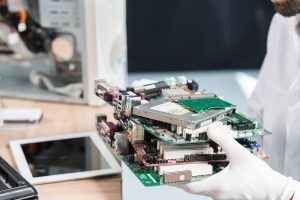


Have you also been worried when you press the start button of your computer, but the computer fails to restart? It causes a sudden panic because of the data stored in the computer. The data could be academic research, personal photos, office work, or any kind of important data. There are several causes that would have led to the problem. It is very important to find the particular cause of your computer to solve the problem, to restart the computer, or to help with the data. There are different cases that can happen even if the computer fails to restart. A good point is that even without the computer turning on, there is still a possibility that your data can be restored. In many cases, the issue is with the operating system, hardware, or software components and not with the storage device. In this blog, you will find ways to recover the data, so keep reading.
The Ways To Recover The Data Without Turning On The Computer
There are different ways or possibilities that can help to recover the data in some cases.
Direct Hard Drive Removal: This method of data recovery is best suited for a dead computer or laptop. This can be done by removing the drive by turning off the system and by removing the internal SSD or HDD. Then connect the drive to the working PC, and the drive should appear as an external device, and then you can copy the data and retrieve it on the computer.
Recovering the Data From a Broken Computer: If the problem is caused by damage to the motherboard or a broken PC, so as to avoid corruption of the data or files, it is best to remove the hard drive carefully and install it into a new PC to recover the data.
Professional Help: It is important to look for professional experts if the computer is not turning on and you want to retrieve the data from your computer. The professionals are experts at retrieving the data and files even if the hardware and software do not function properly.
It is also important to prevent the same situation in the future. The problems may arrive unexpectedly and are unavoidable, but the data and files can be protected.
Regular Backups: It is important to have backups at regular points as it keeps the data safe and prevents the data loss during hardware failure, cyberattacks and human errors and also ensures the fast recovery of the data.
Antivirus Software: The computer should always use an antivirus, as it is important to protect the computer from viruses, as the virus may cause corruption in data and files, and it can become difficult to restore the corrupted files.
Conclusion
In conclusion, the data stored in the computer is important, and there are ways that the data can be protected. It becomes important to seek professional help to prevent the loss of data due to various circumstances. For the best safety of your data, you can visit iTechnology, where our expert Sella Silva ensures that you get the best services and also makes sure that the data is protected while maintaining the privacy of the client.
FAQ’s
- Is it possible to recover deleted files?
Yes, it is possible to recover the deleted files. The recovery of data or files that have been accidentally overwritten is possible in the case that the files are overwritten by the new data. You should stop using the device and look for the deleted files in the recycle bin or trash bin. If the deleted file is there, you can easily restore it.
- Is it possible to recover data if the device is physically damaged?
The data can be recovered even if the hardware of the computer is broken or is faulty due to water. The specialised tools, such as cleanroom environments, may help in recovering the data from corrupted or damaged devices, even if the hard drive is damaged.
- Is there a risk of data loss even after the recovery process?
Yes, sometimes due to a flawed backup or data recovery process, data can be lost, thereby causing the failure of the data recovery process. The other reason could be the failure of the backup system, which would also cause the loss of data.