Posted on Leave a comment

Common Causes Of San Raid Failure

Understand The Four Major Causes Of Failed RAID Configuration

SAN stands for Storage Area Network, which is a high-speed network connecting servers to storage devices. RAID stands for Redundant Array of Independent Disks, which is a process of combining several physical drives into a single logical unit for optimized performance. When one or more drives fail, the RAID controller or the system fails, resulting in data inaccessibility or failure, and then SAN RAID failure occurs. The loss of data can impact your business operations as well as the trust of the customers and valuable recollections. RAID crashes can be utterly stressful. 

Common causes of RAID failure are: 

  • Power surge or outage –sudden power spike or loss can damage the drives or controllers, interrupt write processes, and corrupt RAID configurations. 
  • RAID controller failure – even if the drives are fine, the whole RAID structure becomes inaccessible if the RAID controller malfunctions. Signs could be: boot failures, incorrect disk sequence, unrecognizable array. The fault makes recovery more complex. 
  • Multiple disk failures – overheating, power issues, age and wear, as well as environmental issues, can cause multiple disks to fail simultaneously. 
  • Malware attacks – RAID systems could become the targets of ransomware and viruses. 
  • RAID rebuild failures – RAID begins a rebuild process when one disk fails. But during this rebuild, if another drive fails, the whole array can collapse. Causes behind rebuild failure are: unstable array state, faulty new drive, and incorrect rebuild order. 
  • Hard drive failures it is the most common reason for RAID failure. With the due course of time, hard drives break due to various issues such as manufacturing defects, electrical component failure, and mechanical issues like head crashes. 
  • Human error – various human errors could be: incorrect drive replacement, formatting the array, accidentally removing the wrong drive, or wrong RAID level selection during rebuild. 
  • Configuration corruption – array configuration can become corrupt because of conflicting updates, failed BIOS flashes, and firmware bugs. 
  • Natural disasters – physical damage can be caused by: floods, fire and earthquakes. 
  • Incorrect RAID configuration – configuration mismatches could be caused between RAID levels due to the mistakes made during migration or initial setup. For instance, mixing up the drive sequence. 

Preventing RAID failure in future 

Preventive measures to be followed for the protection of RAID are: 

  • Regularly checking the disk health 
  • Keeping detailed documentation of the RAID setup 
  • Implementing unnecessary power supplies as well as surge protection 
  • Scheduling periodic backups to the cloud storage 
  • Maintaining controlled temperature in the server rooms 

How to safely recover data from RAID

 Shut down the system immediately

  • Identify the type of failure 
  • If accessible, back up the current state 
  • Look for professional RAID services 
  • Avoiding DIY fixes 

Conclusion 

iTechnology Australia is a top-notch computer service provider for businesses across the country. Just when we felt the need for genuine and effective computer support, our working group endeavoured to meet the need. Earlier, we just focused on hardware repair as well as maintenance. With the advancement of technology, we decided to expand our services and include software installation, optimization, and troubleshooting. We offer a vast range of services, which include virus removal, network setup, maintenance, data recovery, etc. For expert support to safeguard or recover your valuable data, reach out to iTechnology Australia.

Posted on Leave a comment

Recovering Data From Raid 0

Retrieve Data from RAID 6

It is very important to know that, in general, there is ‘no’ RAID recovery process. The procedure of recovering data is laid down completely by the architecture of the RAID. The most basic type of RAID is RAID 0. It is also called disk stripping. There is actually zero repetition in a RAID 0 setup. No mirroring, parity or backup is there, like other RAID types. It is built for maximum performance. 

RAID 0 architecture 

To achieve maximum performance, RAID 0: 

  • Splits the files into blocks 
  • Write the blocks with drives sequentially in the array. It is done in a round robin pattern. 

The process called stripping allows the RAID controller to work simultaneously with all the disks, significantly increasing the speed as well as I/O performance. 

Common RAID 0 failure situations

 Serious risks faced by RAID 0 due to its design are: 

  • Single disk failure- it could mean complete loss. If a drive fails, the drive becomes inaccessible. The whole array comes at risk as there is no built-in way to recover data. 
  • Metadata errors- metadata gets corrupted if the drives are reordered. 
  • Partial drive failure- bad sectors on one disk can result in corrupted files after recovery, even if all disks are present. 
  • Increased risk with more disks- the chances of failure increase with the increase in the number of disks being used. 
  • Human error- after a failure, if you try to rebuild or write to the array, it can overwrite essential data, making the recovery difficult. 

Limitations of RAID 0 recovery 

Fundamental bottlenecks govern the RAID 0 data recovery. 

  • There is no option to rebuild. 
  • Original stripe size and disk order are required. 
  • Imaging with specialised tools is necessary. 
  • All member disks should be present and readable. 

Professional strategy for data recovery for RAID 0 

Provided the serious limitations, successful data recovery from RAID 0 arrays is a multiphase forensic process.  

  • Data integrity authentication 
  • Virtual reconstruction of the array 
  • Initial diagnosis and forensic visual 
  • Repair of the logical file system, as well as data extraction 

Why DIY RAID 0 data recovery is risky 

Attempting to recover data from RAID 0 yourself could be very risky compared to the other levels of the RAID because: 

  • Missing any step can destroy your data permanently. For instance, misconfiguring the virtual arrangement. 
  • Some RAID recovery services are designed for moderate amounts of failures, and they may damage RAID 0 volumes, for which the damage could be irreversible. 

You must seek professional help if: 

  • You are not sure about the disk order or the size of the stripe. 
  • Any of the disks is physically damaged. 
  • There is a high value attached to the data. 
  • The initial attempts for rebuilding the array virtually are not successful. 
  • The reason for the failure was metadata corruption. 

Conclusion 

Take a moment to consider that you require a professional RAID data recovery service that acknowledges the difficulties and challenges regarding RAID 0. iTechnology Australia is known to be the best data recovery service provider in all of Australia. We have professional and expert engineers who use specialised hardware, exclusive tools, as well as forensic techniques to increase the chance of complete recovery from RAID 0. Permanent loss does not stand a chance with iTechnology Australia.


Posted on Leave a comment

How Can You Retrieve Data from RAID 6

Retrieve Data from RAID 6

RAID 6 is a storage technology that combines multiple hard disks into a single logical drive. It is the most unique of all the types of RAID. Besides simple XOR, it uses a second parity code. It is a kind of expansion of RAID 5. The data is divided into two blocks, which are P and Q, and it is evenly distributed to the existing hard disks. With this, the users can access multiple disks at the same time. Also, in the reading process, the throughput rate is improved as compared to the single drives. 

Pros of RAID 6 

RAID 6 proves to be very useful in several ways:

 It boosts the speed and capacity.

  • It provides strong protection and prevents data loss. 
  • Also known as dual-parity RAID, it is useful in storing business-critical data because even if both the disks fail, the files still remain safe. 
  • In fact, it proves to be beneficial in improving data as it offers high fault tolerance. 

Cons of RAID 6 & data loss 

Reduced storage space is the most important con of RAID 6. Only 50% storage capacity is available. Write performance is also decelerated due to double parity. It is more expensive compared to other RAID arrays. If you think that the storage configuration is resistant to data loss, then it’s not true. Though it offers excellent protection, data loss can still occur. Reasons for data loss can be:

  • If the number of disks that are used exceeds two, then they fail simultaneously. 
  • Firmware issues can cause disorganisation of disks. 
  • Silent data corruption spreads on multiple disks. 
  • Voltage spikes or atmospheric issues like heat can ruin hardware. 
  • Fortuitous deletion or misconfiguration can vanish the files. 

Even with the top-grade hardware, RAID 6 is not an alternative for backup. 

Malfunction types in RAID 6 

It is very important to recognise different sorts of RAID 6 data loss circumstances. Classifying the ways in which the RAID 6 arrangement can fail: 

  • Single or dual disk failures: It is the most common failure leading to data loss, but as long as you act really quickly, the data is not lost. 
  • Failure of multiple disks: Arrangement can not recover on its own if three or more disks fail simultaneously. 
  • Software or restoration failure: If the process of restoration fails, it can leave the arrangement damaged, probably leading to data loss. 
  • Rational errors: Reformatting or mistaken erasure makes data unavailable, even if there is no kind of disk, hardware, electronic, or mechanical failure. 

Data recovery is possible in cases when:

  • There is a failure of a single or double disk, as it is within the parameters of the dual parity RAID 6. Therefore, the full dataset can be recovered. 
  • Multiple drives have failed. You can take help from iTechnology Australia for recovering your lost data. Either partial or complete recovery is still possible through specialised software, depending on the condition of the platters. 
  • Accurate information on the configuration is being read. Data retrieval is still possible by connecting the drives to a different system. 
  • The RAID system or the controller is damaged. 

Backup is still required for data recovery in RAID 6, even if the above-mentioned cases are present. 

Why must you avoid recovering RAID 6 data by yourself? 

The technical challenges of RAID 6 can only be handled by data recovery experts. Therefore, the complexities of RAID 6 should not be handled by you, yourself. Trying to handle it all by yourself can lead to:

  • Partial failure 
  • Confusion about the configuration 
  • Inconsistent data 
  • Swapping of drives. 

And all these can lead to permanent data loss in many situations. 

Conclusion 

You can trust iTechnology Australia for your critical data recovery in RAID 6. With years of experience, our team of experts can help you retrieve your valuable data through our RAID 6 data recovery approach. We assure that your data is in safe hands with our team. Our aim is to retrieve your data safely in the minimum time. Also, our team of professionals will guide you on how to prevent data loss in the future.

Posted on Leave a comment

Understand The Four Major Causes Of Failed RAID Configuration

Understand The Four Major Causes Of Failed RAID Configuration

Preventing data from getting lost might be the topmost priority for most individuals, as it is linked to the reputation of their organisation. Staying one step ahead by choosing a RAID configuration for the prevention of data loss can be a great source for protecting the company’s reputation. Forming multiple disks and storing data in each disk is an effective way to prevent any type of data loss. However, due to several factors, one can even experience a failed RAID configuration, which can be heartbreaking for most individuals. This can result in data loss, which can put the company’s reputation at risk. In such a situation, one can rely on the data recovery specialists who are experts in handling the failed RAID configuration. In order to know about the causes of failed RAID configuration, read this blog attentively, which contains the information regarding this. 

Causes of failed RAID configuration

A failed RAID configuration can be disheartening for most individuals. This can lead to  feelings of concern and worry among individuals. It is necessary to know about the causes of failed RAID configuration to stay aware and preventive. Considering this, go through the points mentioned below, highlighting the causes of failed RAID configuration. 

  • An improper order of disks

In RAID configuration, there’s the use of multiple disks containing specific data, contributing to data security. However, if the RAID controller fails to arrange the multiple disks in a systematic manner, then it can lead to the failure of the RAID configuration. It becomes difficult for the RAID controller to read the data of multiple disks, which can result in a failed RAID configuration. It is important to take the help of some professionals to get the lost data back. 

  • Accidentally reinitialised the data

This involves an action of initialising all the data again stored in multiple disks. This can lead to the overwriting of all the data and eventually to data loss. Hence, contributed to the failed RAID configuration. One can accidentally click on the option of “delete RAID volume,” and they can face bad repercussions at the end. Such situations can be handled by the professionals of data recovery specialists through accuracy and precision. 

  • Loosened cable in the hardware

When the cable is loosened or if there’s a sudden increase in the voltage, then it can destroy the data on the multiple disks. Due to the loosened cable in the hardware, one can observe that all their disks have been cleared out in the array, and there’s nothing left in them, hence leading to a failed RAID configuration. One can take the help of a data recovery specialist in such a risky situation and get back their data safely. 

  • Errors in the operating system

When the operating system has a bug or an unknown error, it can make it unable to predict the right disk and even stop the RAID controller from rebuilding the disks. This results in the failure of the RAID configuration and even erases all the data from the disks. However, one can get out of such a situation with the help of some professionals who have complete knowledge of using data recovery tools. 

Conclusion

RAID configuration is a great source of storing data by splitting it into multiple disks. However, when you experience a failed RAID configuration, it can literally shake your whole world. However, understanding the above-mentioned causes of failed RAID configuration can prevent you from losing data. Along with this, if you have still lost your data due to a failed RAID configuration, then seeking professional help can help you recover your data. Considering this, you can engage with the data recovery specialists of iTechnology Australia for an effective data recovery. Our expert team members are efficient in using the special data recovery tools in order to recover your lost data.

Posted on Leave a comment

Understand The Role Of RAID 5 In Data Preservation

Role Of RAID 5 In Data Preservation

Data holds the crucial information regarding the strategies of the particular organisation. Confidential data contributes to the company’s high reputation, which develops people’s firm trust in their services. However, when data is lost or leaked, the first thing that gets affected is their reputation. This is the reason why most companies engage with the best data recovery specialists in order to preserve their reputation and protect themselves from such a risky situation of data loss. Data recovery specialists often help guide them through the specific method or strategy through which one can prevent data loss and save their company’s reputation from sinking. One of the methods is RAID 5, which is quite a risky and complicated process of preventing data loss. However, many data recovery specialists help in simplifying this method through their special tools and strategies. In order to know about the working of RAID 5 for the prevention of data loss, read this blog thoroughly. 

How Does Raid 5 Help in Preventing Data Loss?

There are several RAID methods that are used beforehand in order to prevent oneself from data loss, and one of them is RAID 5, which is usually used by professionals. This involves a minimum of three disks, which can prevent one’s data from getting corrupted or lost. So, go through the points mentioned below in order to know about the working of RAID 5 in preserving the data. 

  • Data striping 

This is the first step that is done to ensure that one’s data is safe and protected. In a RAID 5 configuration, the data is broken down into smaller segments, which are then divided among multiple disks. The data is preserved in multiple drives, which ensures that one’s data is safe from getting lost, and they can use it whenever they feel the need to use it. This striping method also includes an efficient and faster reading process, which makes the whole procedure speedy as more than one disk is working at the same time. 

  • Parity information

After breaking down the data into smaller parts, the next step is to calculate parity data to distribute it across each drive. This is a detailed and complex task of storing and securing the confidential data to prevent data loss. This requires the help of some professionals, as an ordinary man couldn’t manage to understand its utilisation for data preservation. This is an important step as it prevents a single drive from getting bottlenecked.  

  • Handle the failed drive

Sometimes due to any reason, there can be the risk of failure of any one drive among the three drives, which can arouse concern among an individual. However, in order to prevent them from such a situation, many data recovery specialists have the knowledge of handling the failed drive and use it accordingly. This requires a high level of precision and attention from the data recovery specialist. 

  • Reconstruct the data

After creating data striping and parity information, the main thing that comes after all this is the reconstruction of the data. As mentioned above, RAID 5 includes a minimum of three drives in order to protect the data. So if one drive fails for any reason, then one can easily access their stored data from the rest of the drives. Afterwards, the parity information is used in order to reconstruct the data and prevent oneself from the heartbreaking situation of data loss. 

Conclusion

Preventing data from getting lost is the topmost priority for many people like you. There are several RAID configurations that are used for both data preservation and data recovery. Certainly, recovering data with RAID 5 can also be possible, but this process is sophisticated and can’t be recovered by a layman. Considering this, you can engage with the experts of iTechnology Australia in order to secure and protect your data. Even if you have lost your confidential data, our professionals can help you with this. 

Posted on Leave a comment

5 Tried and Tested Data Recovery Methods

understanding 5 Tried and Tested Data Recovery Methods

Data loss can strike anyone. Whether you work for a multinational corporation or you have your laptop at home, you can be a victim of data loss anywhere and at any time. This can be a pretty stressful experience to go through, especially if you do not have any idea regarding which data you have lost and which files are corrupted. With the help of experts at iTechnology Australia, you can make certain that you are able to address any concerns regarding data loss, data recovery, and data restoration in an essential manner. Our team makes certain that all our clients are thoroughly capable of receiving data recovery procedures without any trouble whatsoever. 

In this blog, we extensively discuss the possibility of detailing five tried and tested data recovery methods. By knowing about these procedures, you can make certain that you are able to understand the various ways and steps in which data recovery extensively takes place. You can easily make sure that you are able to judge the best ways of engaging in the data recovery procedure. By knowing all the available methods that are effective in nature, you can make certain that you are able to take an informed decision regarding your data recovery procedures. 

What Are the Ways in Which You Can Engage in Data Recovery?

The following are some of the ways in which you can make sure that you are able to engage in the procedure of data recovery in an extensive and thorough manner: 

Check the Recycle Bin 

When one loses their data, one of the first feelings one experiences is panic. In our panic, we do not even check the basic things first. One of the first steps you need to take if you cannot find something is to look through the recycle bin. If your data is not even in the recycle bin, then you should start panicking. 

Employ Data Recovery Software 

If the data has been comprehensively lost, one needs to make sure that they are able to employ data recovery software in an essential and effective manner. Most of this software ensures that you are able to not only recover lost data but also make sure that you can resolve any corrupt data. 

Use Command Line to Your Advantage 

If you know how to use the command line, you need to take advantage of it for sure. With the help of this procedure, you can choose to employ free software such as TestDesk and PhotoRec. 

Create a Backup 

Perhaps a bit obvious, but you need to ensure that you are creating backups of your important files at regular intervals. With the help of a backup, you can make certain that you are able to access this archive in case of data recovery and data loss. 

Seek Out Professional Services 

If none of the above work, you can make sure that you are able to access professional recovery services from the experts. Enhance your chances of recovering your data with the help of iTechnology Australia. 

Conclusion 

Losing your data can thoroughly prove to be an issue one can face. Not only large corporations but also private individuals can face the trouble of data recovery in an extensive and thorough manner. From work files to precious memories, one can suffer from several troubles when a data loss or data corruption happens. With the help of experts at iTechnology Australia, you can make certain that you are able to thoroughly and extensively opt for the process of data recovery. If you are trying to make certain that you are able to regain access to your data, opt for our services in a thorough and extensive manner. 

Posted on Leave a comment

Reasons to Use the Raid 10 Method for Data Recovery

Using the Raid 10 Method for Data Recovery

One leaves no stone unturned in order to get back their lost data and secure the reputation of their organisation. They use various methods to recover their lost data, and some methods might be successful. The real concern is when such methods don’t provide any positive results, then they might get frustrated over this. However, there’s some bright hope for the ones who have had several failed attempts while recovering their data. This bright hope is RAID 10, which is used by some special tools that only experienced data recovery specialists have. There are many centres with skilled data recovery specialists that can recover one’s data through the use of RAID 10 configuration. This is the most effective and advanced method that helps in protecting one’s data as well. In this blog, you will get to know about the reasons why this method is used mostly by data recovery specialists. 

Why Is the Raid 10 Configuration Method Used for Data Recovery?

There are several methods through which one can recover their data and even protect it from getting corrupted or lost. Among all the methods, RAID 10 is widely used by most data recovery specialists as it provides excellent data recovery. So, go through the points mentioned below, highlighting the reasons for using this method by the data recovery specialist.


  • Provides high performance

This is the key feature of using a RAID 10 configuration, as it is the combination of two raids, 1 and 0. This allows the data to spread across different drives after being broken up. Then this data is read and written by different drives simultaneously, hence contributing to its faster and higher performance. Along with this, it also includes the process of data mirroring, in which the data is copied to different drives, which can be an advantage for those who have lost their data, hence contributing to its great performance. 


  • Provides data security

As mentioned above, data mirroring is done under the method of RAID 10, which is responsible for saving and securing the data. Data is transferred to multiple drives in order to prevent any kind of data loss in the future. If one finds out that their data is lost or corrupted all of a sudden and they don’t even have any backup, then this method can be used. This method ensures that the data is saved in one of the drives, and users can easily access their drives to get their data back, hence providing data security.


  • Fast data recovery

A data recovery specialist can use this method when one has lost all their data after doing data stripping and data mirroring. RAID 10 10 ensures that one’s data is saved in four drives, hence providing proper data security. However, what if one drive fails? Then this is where data mirroring can be used. It includes the process of using data from mirrored pairs and then transferring it to the other drives, which can help in the data recovery process. This process is done by a specialist with their specific tools, hence contributing to the fastest data recovery.


  • Uses no parity calculations

Many raid configurations use parity calculations, which include complex processes. However, RAID 10 doesn’t involve any use of such calculations; in fact, simple calculations are used, which provide the fastest data recovery. Along with this, this method doesn’t even put stress on the remaining drives, which is the key point of this. 

Conclusion

Losing all the confidential data can be painful for many of you, as it holds the reputation of your organisation. However, adopting the RAID 10 method for data recovery would be the optimal choice for you as it not only recovers data but also helps in securing your data. If you, too, have lost all your data or want it to be protected from any kind of damage, then you can engage with iTechnology Australia. Our experts help in securing your important data through several steps and help in data recovery as well. 

Posted on Leave a comment

Common Fixing Methods for Dell Error Code 2000-0142

Common Fixing Methods for Dell Error Code 2000-0142

Leaving no stone unturned in preparing the data and still losing it is the worst feeling from which everyone escapes as much as possible. Losing all the confidential data can shake one’s world, as data is the only key to contributing to the progress of any organisation. Therefore, losing all the data is equal to losing all the reputation in the blink of an eye. One of the most common problems regarding data loss is hard drive error 2000-0142. This pops up on one’s PC due to various reasons, including any physical damage or the presence of any corrupt files in the PC or laptop. This can arouse feelings of stress in one’s mind and can make them conscious of their data. However, there are various methods through which this specific error can be fixed easily. In this blog, you will get to know about those fixing methods to fix this error.

Look At the Fixing Methods for the Dell Error Code 2000-0142

There are many methods through which one can fix the Dell error code 2000-0142, about which no one is much aware. Therefore, go through the points mentioned below to know more about the methods to fix this particular error code in a few simple steps. 


  • By connecting the hard drive to another computer

As mentioned above, this error can also occur due to any physical damage, so in order to recover the lost data, one can try connecting a hard drive to another computer in order to protect their crucial data. One can pull the affected or damaged drive and connect it to the external drive. By following this, one can preserve their data, but if there are still no chances of getting back the lost data, then one can engage with the data recovery specialist regarding this. 


  • By using window installation

One of the reasons for having such errors is MBR corruption, which can make it impossible for the system to find the OS. This is because MBR holds the information about the location of the operating system, hence leading to this specific error. Therefore, in order to recover the lost data, one can use a Windows installation to run the CHKCSK command. If the data is recovered by using this method, then it is best to take the backup immediately and avoid further complications. 


  • By reinstalling Windows

As corrupted files can cause the error code 2000-0142, which can make the data vanish from one’s system. In order to fix this error, one can reinstall Windows and preserve their data in the system. Also, if one faces trouble while reinstalling Windows and getting back their data, then they can engage with an experienced data recovery specialist in order to fix this error and preserve the data. 


  • By resetting the BIOS default setting

When one gets this error code, they can try fixing it by resetting the BIOS default settings. This resetting can help in solving various issues, such as boot failure or hardware failure, which result in the appearance of the error code 2000-0142 on one’s system. Also, this resetting can help in getting back the lost data; therefore, this method can be beneficial for fixing this particular error.

Conclusion 

Facing an error 2000-0142 can be threatening, as the first thing that might frighten you is the loss of your data. Therefore, you can try the above-mentioned methods in order to fix this error. The real concern is when the above-mentioned methods didn’t even bring positive results. You don’t have to worry, as you still have the best option by your side. That option includes taking the help of professional data recovery specialists for the positive results. Considering this, you can engage with the experienced and skilled data recovery specialist of iTechnology Australia. Our technical experts help in providing the best services regarding data loss and even repairing bugs in your computers or laptops. 

Posted on Leave a comment

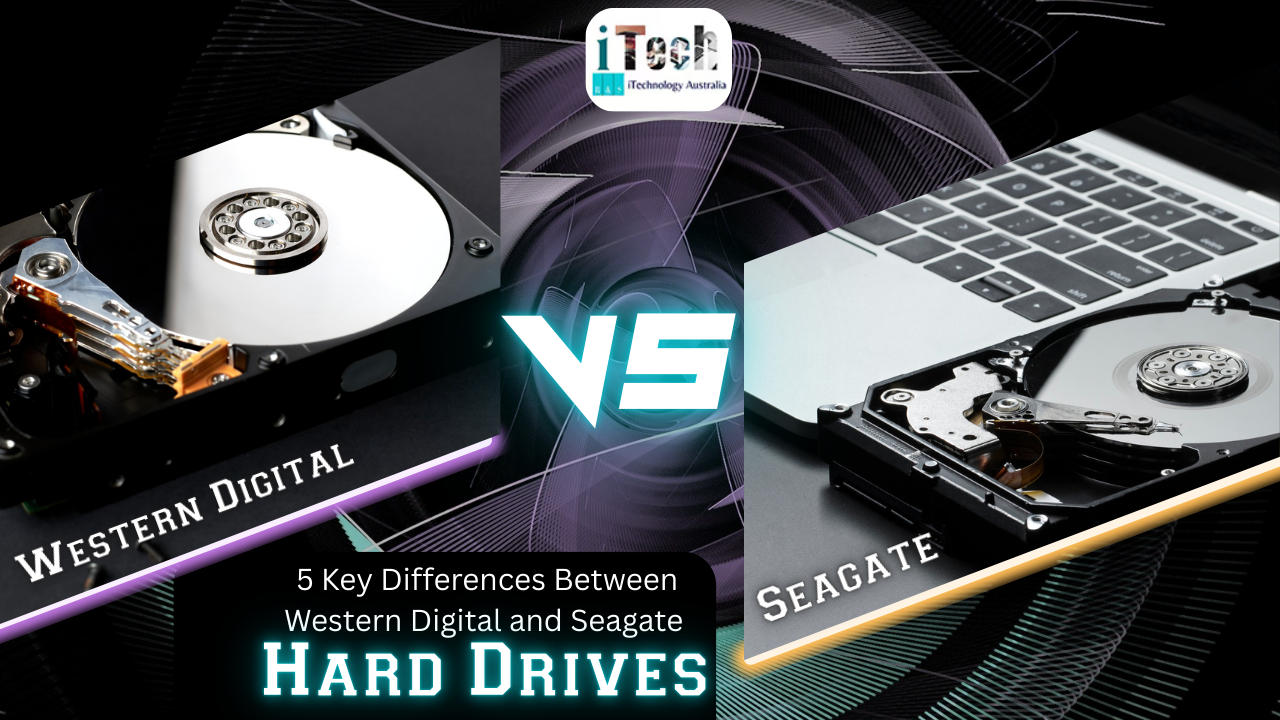
5 Key Differences Between Western Digital and Seagate Hard Drives

differences between Western digital and Seagate hard drives

Being able to purchase a hard drive can thoroughly prove to be an issue. One needs to make sure that one is able to understand the intricacies and differences of the options available. With the help of experts at iTechnology Australia, you can make sure to understand the possibility of differences between different types of products available. Our team ensures that you can thoroughly and effectively find the correct information in an effective way. This will allow you to make an informed decision regarding the types of hard drives you need and want. 

In this blog post, we extensively detail and discuss the differences between Western Digital hard drives, also known as WD, and Seagate hard drives. It is important to note that each hard drive is capable of offering different features and possibilities in an essential manner. Therefore, depending on your needs, you can make certain that you are able to thoroughly and extensively explore the options available in front of you. Although both of these hard drives thoroughly offer reliable options, there are stark differences between their construction, data recovery options, and software offerings. 

Understand the Differences Between Western Digital and Seagate Hard Drives 

The following are some of the differences you need to understand between Western Digital and Seagate hard drives. 

Construction 

Western Digital thoroughly ensures that you can have a far more compact option, but it limits the person’s ability and capability to engage in data recovery options in an essential manner. Seagate, on the other hand, allows users to remove it from its motherboard, providing ease of access for data recovery possibilities. 

Data Recovery Possibility 

WD drives are thoroughly embedded with the USB port. This makes it extremely difficult to ensure that you can thoroughly and extensively engage in the data recovery process. The procedure is rendered complicated as a result of this option. Seagate allows the user to easily access data recovery services. This also allows people to have a less expensive experience. 

Softwares 

WD offers WD Red Line, which is a reliable option for NAS, and WD Black for gaming. At the same time, Seagate provides the Backup Plus line with built-in software for automatic backup options. 

Consumer Focus on Hard Drives 

WD offers higher reliability and can be thoroughly used in different types of sectors in an essential manner. While Seagate extensively focuses on storage-as-a-service enterprise. 

Product Line 

WD focuses on fulfilling specific consumer needs, while Seagate ensures that they are able to fulfil a broad range of consumer needs.

Conclusion 

If you are in the market for making certain that you can thoroughly and extensively find the right type of hard drive, it can be a difficult decision. One needs to make sure that you are able to understand the differences between the two options available. With the help of experts at iTechnology Australia, you can make certain that you are able to thoroughly and extensively understand the differences. Our team can also ensure that you are able to learn and identify which option is the best for you.

Posted on Leave a comment

The Future of AI in Ecommerce: ChatGPT’s Role in Smarter Online Shopping

Role of AI in shopping online

Are you considering not paginating to the end of product listings anymore? Instead, you chat with an experienced AI that has the ideas you need and curates specialised item options in a second. Welcome to the future of e-commerce, where ChatGPT integrates communicative intelligence with e-commerce savvy to transform how we shop online.

Understanding ChatGPT Shopping

ChatGPT shopping offers a convenient way to explore items through easy conversation. No more digging through search outcomes, seek your query like “a gold diamond earring under ₹50,000 for a wedding” and quickly receive curated suggestions with images, prices, stock availability, reviews, and seller details. This turns ChatGPT into a powerful discovery engine and a new source of valuable traffic for businesses. Tracking pixels (like UTM parameters) make sure the vendor can pinpoint conversion sources correctly.

Reason of ChatGPT Is Changing Ecommerce

  1. A brilliant Conversational Shopping Experience

Conventional search and browsing are giving way to seamless, chat-driven discovery. Users ask, and AI responds with relevant products; nonstop scrolling is needed.

  1. A New Sales Channel and Perceptive Edge

Once connected to your store, ChatGPT becomes a dynamic new channel, driving traffic, capturing buyer intent, and giving data-backed insights into user behavior.

  1. 24/7 Engagement with specialization Touch

ChatGPT never sleeps—it’s available round-the-clock to suggest products, engage shoppers, and answer questions. This boosts conversion potential and reduces bounce rates dramatically.

  1. Data-Driven Optimisation for Brands

Each interaction provides valuable consumer insights, ranging from search terms to alternative preparation businesses, which can help refine inventory, marketing tactics, and user satisfaction plans.

Expanding Roles of AI in Online Retail

Self-governing AI Shopping Agents: Platforms like OpenAI and Google are deploying AI agents capable of conducting product looking and even completing purchases on behalf of users. This shift pushes conventional eCommerce into a new conversational pattern.

Checkout Within Chat Interfaces: OpenAI is integrating checkout systems within ChatGPT (in partnership with Shopify), enabling users to complete purchases without leaving the chat connection—potentially monetizing via commissions on orders.

AI Without Paid Influence: Unlike traditional search rankings, ChatGPT delivers organic suggestions without priority placements, categorising specialisation and user experience.

How to Assemble Your Online Store  for This Transformation

Enable ChatGPT Integration

  • For software frameworks like Shopify, activate ChatGPT Shopping via settings and  allow product access.
  • Test queries to make sure your listings appear and analytics track correctly.
  • upgrade Product Listings
  • Use clear, structured data with rich descriptions, features, prices, stock status, and excellent images.

Implement Tracking and Analysis

Make sure item links include tracking parameters to measure traffic and conversions proactively.

Adopt AI-Driven improving

Explore AI’s requirements for SEO tailored to conversational questions, refine copy, and align content with AI-driven shopping behaviours.

Shifts in Commercialisation Models

OpenAI aims to monetise via commission-based eCommerce within chat interfaces, a remarkable shift toward AI-centric business models.

Trust and AI Stability

A recent study revealed a paradox in brand suggestions across AI platforms, which can erode consumer confidence in AI-based shopping.

Retailers Turning to AI Super Agents

Companies like Walmart are developing proprietary AI agents to personalise shopping and streamline operations, emphasising AI’s increasing indispensability in retail planning.

Conclusion

The combination of ChatGPT and eCommerce marks a turning point in online commerce, where conversational interfaces replace conventional queries and thrive effectively. For businesses, this presents a compelling opportunity for AI exploration to integrate with chat connections, safeguard consumer trust, and adapt rapidly to an AI-first shopping ecosystem. With the experts of iTechnology Australia, you can make certain that you are able to employ AI for eCommerce uses.