Posted on Leave a comment

Why Is Your Computer Stuck On Restarting? Read To Know The Possible Reasons Behind This

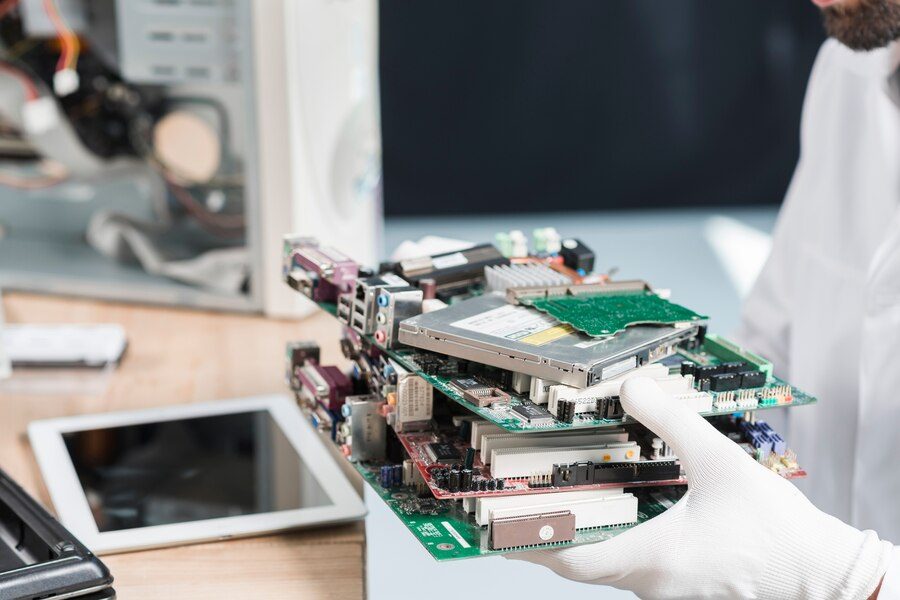
High-tech computer repair technician working with circuit boards and electronic components.

Have you ever been in a situation where you click on the restart button and instead of turning on, your PC gets stuck on restarting? This is a never-ending loop that can happen due to major possible reasons, such as driver issues, malware attacks, and hardware failures. Understanding the possible causes behind the computer being stuck on restarting is crucial in order to take preventive steps in an essential manner. There are numerous methods through which you can fix this problem; however, if you jump to the solution methods directly, then it can lead to bad consequences, such as making recovery more difficult and corrupting your confidential data. Therefore, it is important to thoroughly understand the cause behind the computer being stuck on restarting rather than implementing specific solutions. To know more about the possible causes behind the computer being stuck on restarting, make sure to go through this blog, which depicts the same. 


Key reasons behind your PC freezing during restart. 


When the operating system gets hung while restarting, then it might be due to many possible reasons that are thoroughly highlighted in the points mentioned below, so keep reading. 


Inclusion of external devices: If you have attached a USB drive or any other external device to your operating system before restarting, and it has been stuck on restarting, then it might indicate some technical problem with the external devices only. Make sure to thoroughly disconnect those devices in order to turn on your computer without being frozen. 


Damaged or corrupt files: If your PC shuts down suddenly due to a power cut and hangs while restarting, then it might be due to the damaged or corrupted files. An unexpected power cut can significantly affect the essential Windows files, thus making your system stuck in a restart loop. 


Newly installed software: If you have recently installed new software on your PC, and then your operating system has been stuck on restarting, then the cause is clear. Sometimes, a newly installed software crashes on your Windows, thus making your system unable to restart. 


Essential software updates: Another major cause behind the computer being struck on restarting includes some essential background or software updates that can significantly make it unable to reboot your PC. You can wait for a few minutes and try logging in again. 


Conclusion 


Experiencing the computer being struck on restarting is an unusual problem that can be fixed through specific steps. However, before implementing any specific method, make sure that you thoroughly understand the problems behind this in an essential manner. The above-mentioned points vividly demonstrate the specific problems that can cause your computer to hang during restarting. Along with this, if specific methods are not fixing the problem, then you can engage with the professionals of iTechnology Australia for better guidance. Our expert, Sella Silva, ensures to provide you with thorough guidance regarding fixing the technical problem that can bring the working of your operating system to a complete halt. 


FAQs

  • When should I contact the professionals to restart my PC?

If no other method can fix your computer and complete the boot, then make sure to contact the professionals. Along with this, if you have been hearing the grinding or clicking noises, then calling out the professionals can help. 

  • What should I do if my PC has been turned on after restarting?

Make sure to analyse your system file errors in an essential manner by opening different apps.

Posted on Leave a comment

What Are The Best IT Services Provided By The Professionals?

QR code scanning technology for business security and contactless payments.

Imagine waking up and realising all your data is lost? It sounds worse than a nightmare and a heartbreaking situation for you. Similarly, what if your laptop or computer suddenly stops working? The first thing you might think of is your confidential data that needs to be protected for saving your company’s reputation. This is where the professionals can play a crucial role in protecting your company’s reputation from drowning. They thoroughly help in understanding the real cause of your data loss and computer damage, thus providing you with best IT services for having access to your lost data again. If you are willing to understand more about IT services provided by the professionals, then make sure to go through this blog.   


Have a look at the best IT services.

  • DEPLOYMENT SERVICES

These services help with the heavy lifting of getting your code from your repository into a running environment. These are services like the “publish” button for your application; they automate the process of releasing new code updates to production without you manually setting up services or configuring everything each time.


  • LAPTOP REPAIRS

We understand that your laptop is very important to you in your daily life, so we assure you that while we are preparing your laptop, there will be no data loss, whether it’s work-related or personal. When your laptop is damaged, it’s clear that it impacts your productivity. So through laptop services, we ensure that your laptop starts running well as quickly as possible.


  • SMART TV SERVICES

Smart TVs are part of our daily lives as a source of entertainment, and when they stop working properly, they limit our entertainment. Our skilled team offers you a wide range of smart TVs, including network services, software updates, and support for every minor to major issue related to your smart TVs.

  • NETWORK CONFIGURATION

Our team helps you to streamline your network with well-structured solutions. While configuring and installing the network, we prioritize scalability to make it easier for you to run many applications. Under the network services, we also offer network security services.

CONCLUSION

We specialize in IT risk management services. With years of experience, we are here to help you with all kinds of solutions, from hardware installation to software solutions. Not to worry about your data; it’s in capable hands—this commitment of iTECHNOLOGY AUSTRALIA to quality and customer satisfaction. Our expert, Sella Silva, has been running the best IT solutions company for many years, delivering high customer satisfaction.

FAQ’S

  • Can I try any DIY methods to store data?

Using DIY methods for data restoration totally depends on the type of data loss.

  • Do your professionals provide on-site services?

Yes, our professionals also provide on-site services. Our professionals always use precise tools and provide effective cost-reduction solutions.  

  • Do you provide maintenance services for laptops or computers?

Yes, our team members also provide laptop and computer maintenance services.

Posted on Leave a comment

Desktop vs portable hard drives: Which type suits your workflow?

Unveiling Recovery Squad Expert Data Recovery Service

Choosing between desktop and portable hard drives depends on balancing mobility with storage capacity and power. Portable drives that often use 2.5-inch disks or SSDs are designed for users needing data on the go, drawing power directly from a USB port for maximum convenience. In contrast, desktop drivers are larger 3.5-inch units requiring external power, making them ideal for stationary, high-capacity and long-term storage such as archival backups or RAID systems. Potables drives excel in ruggedness for travellers, desktop models require reliability and cost-per-terabyte for professionals, ensuring that the right choice depends on whether your work is seated. In this blog, let’s get to know which one suits you the best.


Desktop Hard drives: Best for stationary workflows


Desktop drives typically use 3.5-inch platters that require an external power supply from a wall outlet. They are built for performance and large-scale data handling. They are usually encased in larger, heavier shells and require a dedicated AC power adapter plugged into a wall outlet. 

Pros:

  1. Higher capacity and lower costs: Offer the highest storage volumes at a lower cost per gigabyte. 
  2. Performance: Generally offers better performance due to faster RPM and superior heat dissipation. 
  3. Reliability: Better designed for 24/7 operation and long-term storage. 


Cons: 

  1. Requires power outlet: It is not portable as it requires a wall outlet, making it unsuitable for on-the-go work. 
  2. Vulnerable to drops: Less resilient than smaller drives, making them poor choices for travel. 


Best for:

It is best suited for professional creatives like video editors, graphic designers, massive file archiving or home NAS backup and dedicated home media servers.


Portable hard drives: best for mobility


Portable drives are compact and 2.5 inches in size, drawing power directly from the USB port of a computer.  This eliminates the need for a separate wall outlet.


Pros: 

  1. Mobility: Easy to carry in a bag, perfect for photographers, commuters, and students. 
  2. Convenience: It is highly convenient as no external cables are required.
  3. Durability: It is more resistant to shocks and accidental drops.
  4. Speed: Portable SSDs offer much higher transfer speeds compared to HDD versions. 


Cons:

  1. Lower capacity limits: It is usually capped at lower capacities compared to desktop counterparts. 
  2. Slower speed: Some of the HDD variants of this generally operate at 5400 RPM, making them slower at handling large file transfers. 


Best for:

It is best for frequent travellers, photographers, students or anyone needing to move data between computers. 


Conclusion

For a stationary high-volume workflow such as video editing or acting as a primary backup repository, the desktop drive’s superior capacity, speed and reliability make it the better investment. Conversely, the student professionals who are on the move or those needing to transport large data files should prioritise portable SSDs such as the Samsung T7. This offers robust durability, fast file transfers and convenience. In the end, the final opinion is to choose a desktop drive for fixed, high-capacity reliability and a portable drive for flexible, mobile productivity. iTechnology Australia provides you the most portable storage devices and the best suited for you according to your workflow under the guidance of our expert Mr. Sella Silva.


FAQs

  • Which type is best for professional photo or video editing?

A desktop drive is superior for active editing. They offer higher capacities for massive project files and for faster data throughput. If you need to edit on the GPO, high-performance SSDs are an excellent alternative, though they cost more per terabyte. 

  • Which is better for backing up my computer?

Desktop drives are ideal for primary backups because they can handle large, automated, continuous data transfer. Portable drives are suitable for creating a secondary backup that you can take with you.

Posted on Leave a comment

What Are The Common Mistakes To Avoid For A Successful Data Recovery?

Data Backup & Recovery Services Moonah

Various mistakes like installing softwares on the affected drive, running repair tools and physical DIY attempts can lead to permanent loss of data. Deleted data from the drive is not permanently deleted, and it can be recovered with expert intervention. One of the most important aspects that most organisations and people overlook is safeguarding their data. Any error in the drive or physical damage can result in data loss that can be unrecoverable. When data is lost, the mistakes mentioned in this blog that most people make lead to permanent loss of data and it is important to take note of those mistakes. 


Continuing to use the drive 

Saving data in the same drive that lost data is a step away from permanently losing the recovered data. Every time files are deleted, the operating system removes the pointer to the data, and it is marked as available. Any data that comes afterwards, such as browsing, system logs and system software, overwrites the area, making the previous data unrecoverable, and if it was a mechanical damage, continuous use can cause the write heads to crash, which leads to permanent damage of the drive, causing permanent loss of data. 


Installing software on the affected drive 

The files erased in the drive are not permanently lost in the drive, but rather the operating system marks the space as available for new data, and when the installed software in the same drives occupies the same space as the previous files, the files are overwritten. At this point, the deleted files become permanently lost. 


Running repair tools 

The use of running tools such as chkdsk, fsck or file system rebuilders on a failing drive causes permanent loss of recovered data. These systems function by writing, modifying or deleting data in order to fix file system errors, but in doing so, they are overwriting the lost data that is supposed to be recovered and if it is permanent damage, continuous running of tools causes the drive to keep running, leading to permanent damage. 


Physical DIY attempts 

Do-It-Yourself scenarios at home for simple deletion of files are okay, but when it comes to complex problems where the drive is physically damaged, DIY attempts can increase the chances of permanent loss of data. Opening the hard drive outside a sterile cleanroom environment exposes the drive to contaminants, which, when the write heads run, may lead to scratching, hence causing permanent loss of data. 


Restoring data to the same drive 

The image-based backup is very important for restoring data; without it, the recovery process is dramatically hindered. Without the image-based backup, recovery will require reinstallation of the operating system, all applications and reconfiguration before the files can be restored. 


Conclusion 

Data recovery requires mindful strategies to prevent further errors. Each of the mentioned mistakes requires cautious handling by professionals who have the right strategies to recover data. Sella Silva and her team at iTechnology Australia are specialists in helping clients retrieve lost data safely and provide other IT services. Our company is composed of experts who provide solutions to IT problems meticulously. All that needs to be done is to book an appointment for consultation, and we will be on the go to provide effective solutions. 


FAQ’s

What’s the process of recovering data after physical damage to the drive? 

Fixing a damaged drive involves expert knowledge and skills. The professionals handle it in a specialised environment where they create a bit-by-bit clone of the data. The process involves analysing the damage, matching the donor part, data extraction, cleanroom repairs and imaging.


What do I do when my drive starts to malfunction? 

When the drive starts to malfunction, stop using it and switch it off. It is important to always back up data to an external hard drive or cloud.

Posted on Leave a comment

How to Recover Data From a Corrupted SQL Database?

High-tech woman analyzing data on laptop for cyber security and data loss prevention solutions.

Have you lost your data due to a corrupted backend? Don’t worry, it is not completely lost; it can be recovered by following certain methods of data recovery from the SQL database. The recovery of data from a corrupted SQL database involves assessing the damage level, starting with restoring from the latest clean backup. If the backups are unavailable, run the command DBCC CHECKDB with repair options. For another method of recovery, you can use third-party SQL recovery software to fix damaged files, tables, views and stored procedures. Let’s discuss in detail the major methods to recover data from a corrupted SQL database in this blog. 

Here is the comprehensive guide to recovering data from a corrupted SQL database.

  • Initial assessment and preparation

Before attempting any repair, take the following steps to prevent more data loss.

  1. Immediately stop the SQL server service, as this prevents further writing to the corrupted files.
  2. Create a backup copy of the corrupted primary data file and transaction log file immediately. 
  3. Examine the SQL server error logs and Windows event logs to find the exact cause and region of the corruption.
  • Restore from backup

This is one of the most preferred methods. If you have a valid, uncorrupted backup, this is the safest method. 

  1. Open SQL Server Management Studio
  2. Right-click the corrupted database, select tasks, and then restore the database. 
  3. Select the last known good backup. 
  • Using DBCC CHECKDB when no backup is available   

If you do not have backups, you can use the DBCC CHECKDB command to detect and fix errors. The step of command you can run for this is as follows:

  1. Set the database to EMERGENCY mode to make it read-only.
  2. Set single-user mode, as it ensures exclusive access
  3. Run a repair with data loss to fix corruption. 
  4. Revert to multi-user mode.
  • Rebuilding the transaction log

If the database is in RECOVERY PENDING state due to a corrupt transaction log, you can rebuild it. 

The steps to follow include:

  1. As already mentioned above, set the database to emergency and single-user mode. 
  2. Then rebuild the log. If this fails, you need to use DBCC CHECKDB with Repair to allow data loss.    
  • Third-party SQL recovery tools

When DBCC CHECKDB fails or causes too much data loss, using third-party specialised software is the best option. For this scan, the corrupted files, preview database objects before recovery, recover data from corrupted LDF files and at last recover all the deleted records.

  • Post-recovery steps

After the database is recovered:

  1. Run DBCC CHECKDB again without repair options to ensure the database is not consistent, as it is important to verify the data integrity.
  2. Immediately perform a full backup of the repaired database.
  3. Most of the corruption is caused by the I/O subsystem failures, so properly performing a hardware diagnosis is necessary to prevent the issue. 

Conclusion

Recovering a corrupted SQL database is an essential task that makes it necessary to follow a structured approach, which prioritises data integrity over speed. The most reliable method is recovering from a recent backup; however, when backups are missing or corrupted, DBCC CHECKDB offers a powerful manual repair mechanism that may cause data loss. The commands like repair_allow_data_loss and repair_rebuild are the essential tools in a database administrator’s collection. They are helpful in repairing structural corruption, but they should be used with caution. When these built- in methods are ineffective, turning to professional third-party SQL recovery software becomes the most reliable alternative to save tables, views and stored procedures. At iTechnology Australia, we help our clients to effectively implement a tested backup strategy comprising all the backups, which is the most effective way to protect against data loss, as advised by our expert Mr. Sella Silva.    

  FAQs

  • Can I repair the database without losing any data?

Yes, if you have a healthy backup or if the corruption is minor, it can be fixed with the command repair_rebuild without losing any data.

  • What causes SQL database corruption?

Most of the database corruption is caused by the I/O subsystem issues, such as failing hardware, faulty disk drivers or power outages during write operations.

Posted on Leave a comment

When Healing Turns To Hacking in Healthcare IT? Read To Know Data Security Challenges in 2026

Data,Security,System,Shield,Protection,Verification

In 2026, the healthcare industry witnessed a tremendous rise in data breaches and cyberattacks. This significantly leads to the loss of patients’ personal information and other medical histories, which can be used inappropriately by cyber attackers. Usually, the healthcare industry has been a soft target for hackers in terms of getting easy access to patients’ personal information, thus interrupting their operational procedures. Most of the healthcare industries have been dealing with the rapid data loss and data breaches due to their failed attempt in adapting to modern security protocols in an essential manner. Most of the reasons behind the rising data loss in the healthcare industry include the inclusion of third-party members, using weak passwords and neglecting the importance of securing patients’ data with specific data security methods. In order to know more regarding the rising data security challenges in the healthcare industry, make sure to go through this blog, which depicts the same. 

Have a look at the rising data security challenges in 2026. 

In order to stay protected from the cost of data breaches, it is essential to understand a few data security challenges, which can become a major obstacle in an operational flow. Along with this, understanding the data security challenges can significantly help in preserving the patient’s personal records in an essential manner. Considering this, go through the points mentioned below, highlighting the rising data security challenges in the healthcare industry. 

Acceleration in Ransomware-as-a-service: In 2026, healthcare organisations have been facing ransomware-as-a-service most of the time, including the demand for ransoms by the cyber attackers, by tracking all the personal information of the patient. The cyber attackers steal all the sensitive and confidential data of the patient through the healthcare organisation and threaten them afterwards to pay ransoms. 

Specific IoMT vulnerabilities: Internet of Medical Things (IoMT) includes specific devices such as pacemakers and infusion pumps that can become an easy and convenient target for cyber attackers to get a wide range of information regarding the specific healthcare organisation. This can significantly put the patients’ lives in danger as cyber attackers can alter their dosages through such devices, which can sometimes lead to the arising of serious health concerns among the patients. 

Rapid AI-driven attacks: Most of the healthcare organisations have been adapting the active use of AI through AI-driven chatbots that have made it easy for patients to ask their queries. Concurrently, it has become convenient for the cyber attackers as well to access the patient’s personal information. Through phishing emails, texts and voice calls, they can easily manipulate most of the patients, thus resulting in financial transactions and leaking of their sensitive information.

 Increase in human error: Due to the long working hours of healthcare organisations, staff getting scammed or tricked by cyber attackers has become a common occurrence. This includes the sending of phishing emails and texts to the employees of the healthcare industry with the aim of tricking them and leading to data breaches, thus getting easy access to all the platforms. Along with this, using weak and small passwords in different aspects of the healthcare organisation plays a significant role in making them easy to track by cyber attackers. 

Conclusion 

The healthcare industry holds confidential and sensitive information for a vast number of the population; therefore, hacking their IT system has become the primary goal for most cyber attackers. The above-mentioned points vividly demonstrate the rising data security challenges in 2026 that have been leading to data breaches. Therefore, having an adoption of the modern security protocols, along with engaging with the data security specialists, can play an integral role in providing secure data protection to the patient’s sensitive information in an essential manner. Considering this, you can engage with the professionals of iTechnology Australia, holding the precise knowledge regarding securing your data through different methods and techniques. In line with this, we even ensure to recover your confidential data if you have lost it by any means. Our expert, Sella Silva, ensures to provide you with effective guidance regarding data recovery methods.

FAQs

  • Why have healthcare organisations become the common target for cyber attackers? 

Mostly, cyber attackers target the healthcare industry to access personal information as hospitals can’t work without any data. As a result of this, they need to pay more ransoms in an essential manner. 

  • How can the healthcare industry prevent data loss?

Data loss can be prevented through data encryption and training employees regarding phishing emails and texts in an essential manner.

Posted on Leave a comment

Why Is The Usb Drive Not Showing Up? 5 Quick Fixes To Try First

USB drive with water splash and warning icons, tech troubleshooting concept.

Are you dealing with the issue of your USB drive being unrecognisable when you plug it into the port? This issue can happen because of faulty physical connections, corrupted drivers or any power management issue. When a flash drive is plugged in but not recognised, it does not mean that the drive is permanently broken. Most commonly, the system detects the device but cannot mount it. Before assuming data loss, solving the problem should begin with verifying the physical connection. Try different USB ports, bypassing USB hubs or testing the drive on a completely different computer. There are many other causes that can relate to this issue, so before coming to any conclusion, there are ways you can fix it. Let’s discuss the quick ways by which you can fix the USB unrecognisable issue in this blog. 

Below are the five quick fixes to try first:

  • Check the basics

First, you should try a different USB port, plug the drive into a different port, ideally directly into the motherboard at the back of the PC, rather than a frontal panel port.

Try with another computer. If the drive works on another computer, the problem is in your computer’s settings. If it doesn’t work anywhere, the USB drive is generally dead.

Check for LED lights if the USB has an indicator light. You should check that it lights up to ensure it is receiving power.

  • Restart your computer

A simple restart can solve temporary file system errors or stuck driver processes. For this, you need to remove the USB drive, shut down the computer completely, turn it back on and plug the USB drive back in. 

  • Assign a drive letter

Sometimes the computer may recognise the drive but not be able to display it in File Explorer because it lacks a drive letter. To fix this, follow the following steps:

  • Right-click the Start button and select Disk Management.
  • Locate your USB drive.
  • If it has no letter, right-click the partition and choose drive letter and paths. 
  • Click add to assign a letter.


  • Update or reinstall drivers

The outdated or corrupted drivers can stop Windows from recognising the hardware. To fix this, you have to follow some steps.

  • Right-click Start and choose Device Manager. 
  • Expand disk drives.
  • Look for any device with a yellow warning triangle, right-click it and select the update driver.
  • If that does not work, right-click the driver and choose Uninstall Device. After that, restart your computer to allow it to automatically download it. 


  • Format the USB drive

If the drive is new or corrupted, it may show up as unallocated in disk management. To fix this issue:

  • In disk management, right-click the unallocated space on your USB drive.
  • Select a new simple volume.
  • Follow the wizard to format it. The major thing you should note is that it will erase all the data on the drive.

Conclusion

A USB drive failing to appear is usually a temporary glitch which is easily solved by checking the connections, using different ports or restarting the PC. In many cases, Windows recognises the drive but fails to assign it a letter, which can be corrected quickly via disk management. Other common causes include outdated drivers that can turn off the ports. These five major quick fixes can address the majority of issues and are helpful in identifying if the problem is software-based or a hardware failure. If the file fails to appear on multiple computers, the issue is likely related to the physical damage of the drive. By testing these quick fixes in a systematic manner, most users can easily restore connectivity to their files. iTechnology Australia guides you to follow the rules to fix and check the issue related to the unrecognisable USB as suggested by our expert, Mr. Sella Silva, to prevent the loss of data.

FAQs

  • Why does my USB light up but not show up?

This signals that the drive is receiving the power, but the data connection is failing, or the computers cannot read the file systems. This issue commonly occurs due to a driver issue or a missing drive letter.

  • Can I recover data if the USB is not showing up?

If disk management shows the drive, data recovery software may work. If it does not show art, the drive may be dead.

Posted on Leave a comment

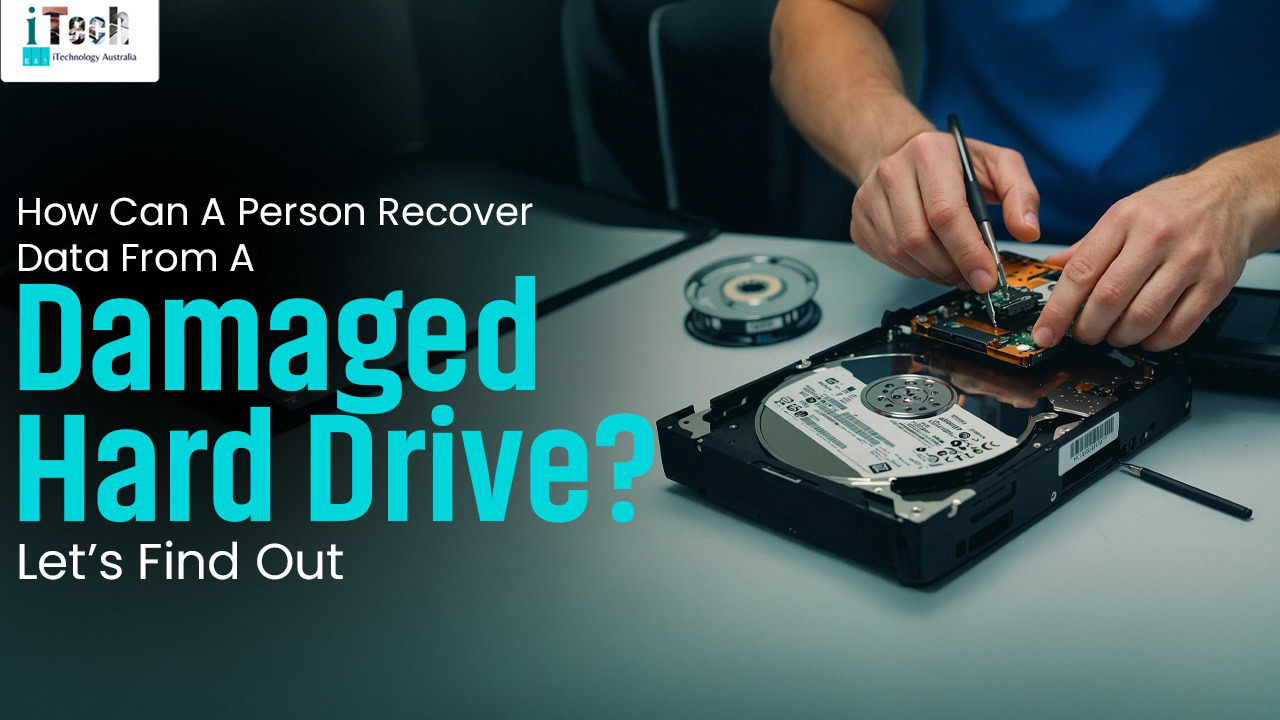
How Can A Person Recover Data From A Damaged Hard Drive? Let’s Find Out

Person repairing a damaged hard drive with tools in a tech repair shop.

When experiencing hard drive malfunctions, stop using it, analyse the damage, install some recovery software to restore data or take it to the experts who can effectively handle the problem. Hard drive malfunctioning can be caused by various factors that can lead to loss of data, but gladly, with the right methods and tools, the data can be restored even if the hard drive is physically damaged or logically malfunctioning. Depending on the severity of the problem, a person may be able to recover the data on their own or would have to take it to the experts, which reduces the chances of further damaging the hard drive. This blog elaborates on how data can be recovered from a damaged hard drive. 

Factors that cause hard drive damage 

Physical shock and damage: Dropping the computer, bumping it or knocking when it’s running can cause the head/write to scratch the magnetic platters, which causes a head scratch. 

Overheating: This can be caused by poor aeration, build-up of dust or malfunctioning of fans, which causes overheating, damaging the internal components. 

Power issues: Irregular power cuts or power surges can damage the circuit board, corrupt the firmware and consequently lead to an unreachable hard drive.

Environmental factors: Factors such as moisture or humidity can cause corrosion, which speeds up the degradation of the hard drive. 

Ageing and wear: Electronic devices have a lifespan, and so does the hard drive. As the hard drive ages, it can be susceptible to mechanical failures. 

Steps for recovering data from hard drive damage 

  • Stop using the hard drive. 

Quit using the hard when you notice that it’s overheating, making noises, or is not detected. 

  • Analyse the damage
  • Logical failure: The hard drive may be physically functioning, but then it is not detectable, or the data is unreachable. 
  • Physical failure: This could be the hard drive producing grinding, clicking or buzzing noises.


  • Utilise data recovery software
  • Tools like Diskdrill and EaseUS Data Recovery Wizard can be downloaded to recover data. 
  • The tools will help to run the software and detect the affected area. Then the files can be previewed and recovered to a different location from the damaged drive. 
  • Seek professional experts 

The hard drive recovery experts are in the best position to analyse the cause, the problem, fix it and recover data. The best time to take it to the experts is the moment it starts to make noises, overheating or when it is undetectable. 

Conclusion

When the hard drive is malfunctioning, avoid opening the hard drive casing, as the dust can permanently destroy the hard drive. Hard drive malfunctions may occur, but with the experts, data can be recovered using various lab techniques. When searching for experts to recover data from the hard drive, ensure to research reputable experts who are experienced in handling the problem. The experts at Technotykes offer expert services in various computer problems, including data recovery from hard drives. Ms. Pritika Gandhi leads exceptional services, and clients can be guaranteed of effective results. 

FAQ’s 

  • Can I recover data from a physically damaged hard drive? 

Yes, it is possible to recover data from physically damaged people, though it is best done by professionals, and the success rate is dependent on the severity of the condition. 

  • What’s the cost of recovering data from a damaged hard drive? 

The cost of recovering data from a damaged hard drive is mainly dependent upon the severity of the condition, the labour and the duration. After the analysis, the experts would inform us of how much it can cost.

Posted on Leave a comment

Are You Worried About Your Data After The Computer Fails To Restart? Read Out To Find More About It

Laptop with update screen and tech tools on desk for IT support and data recovery.

Have you also been worried when you press the start button of your computer, but the computer fails to restart? It causes a sudden panic because of the data stored in the computer. The data could be academic research, personal photos, office work, or any kind of important data. There are several causes that would have led to the problem. It is very important to find the particular cause of your computer to solve the problem, to restart the computer, or to help with the data. There are different cases that can happen even if the computer fails to restart. A good point is that even without the computer turning on, there is still a possibility that your data can be restored. In many cases, the issue is with the operating system, hardware, or software components and not with the storage device.  In this blog, you will find ways to recover the data, so keep reading. 

The Ways To Recover The Data Without Turning On The Computer 

There are different ways or possibilities that can help to recover the data in some cases. 

Direct Hard Drive Removal: This method of data recovery is best suited for a dead computer or laptop. This can be done by removing the drive by turning off the system and by removing the internal SSD or HDD. Then connect the drive to the working PC, and the drive should appear as an external device, and then you can copy the data and retrieve it on the computer. 

Recovering the Data From a Broken Computer: If the problem is caused by damage to the motherboard or a broken PC, so as to avoid corruption of the data or files, it is best to remove the hard drive carefully and install it into a new PC to recover the data. 

Professional Help: It is important to look for professional experts if the computer is not turning on and you want to retrieve the data from your computer. The professionals are experts at retrieving the data and files even if the hardware and software do not function properly. 

It is also important to prevent the same situation in the future. The problems may arrive unexpectedly and are unavoidable, but the data and files can be protected. 

Regular Backups: It is important to have backups at regular points as it keeps the data safe and prevents the data loss during hardware failure, cyberattacks and human errors and also ensures the fast recovery of the data. 

Antivirus Software: The computer should always use an antivirus, as it is important to protect the computer from viruses, as the virus may cause corruption in data and files, and it can become difficult to restore the corrupted files. 

Conclusion 

In conclusion, the data stored in the computer is important, and there are ways that the data can be protected. It becomes important to seek professional help to prevent the loss of data due to various circumstances. For the best safety of your data, you can visit iTechnology, where our expert Sella Silva ensures that you get the best services and also makes sure that the data is protected while maintaining the privacy of the client. 

FAQ’s 

  • Is it possible to recover deleted files? 

Yes, it is possible to recover the deleted files. The recovery of data or files that have been accidentally overwritten is possible in the case that the files are overwritten by the new data. You should stop using the device and look for the deleted files in the recycle bin or trash bin. If the deleted file is there, you can easily restore it. 

  • Is it possible to recover data if the device is physically damaged? 

The data can be recovered even if the hardware of the computer is broken or is faulty due to water. The specialised tools, such as cleanroom environments, may help in recovering the data from corrupted or damaged devices, even if the hard drive is damaged. 

  • Is there a risk of data loss even after the recovery process? 

Yes, sometimes due to a flawed backup or data recovery process, data can be lost, thereby causing the failure of the data recovery process. The other reason could be the failure of the backup system, which would also cause the loss of data.

Posted on Leave a comment

What Are The Key Benefits Of DIN66399 For Differently Securing Your Data?

Young man working on cybersecurity data at night in a high-rise office.

Worrying about the safety of your crucial data from theft is the usual concern that can keep you alert all the time. There are numerous methods of securing your confidential data from loss, and one of the most effective ones is using shredder devices with DIN 66399 standard for the high security of your data. Generally, under such a technique, your data is broken down into smaller pieces with the aim of making it inaccessible to others, with the intention of tracking your confidential data. Data destruction is done in a precise manner with the purpose of safeguarding your data, specifically based on different storage media. This includes the specific security levels for significantly securing your sensitive information, involving the levels of low to high risk. Due to this, you’ll be at peace, ensuring that the crucial information regarding your organisation is safe and out of reach from unauthorised access. To know more regarding the major benefits of DIN 66399 standard for your data safety, make sure to go through this blog depicting the same. 

Explore the major benefits of the DIN 66399 standard for data security. 

Using shredder devices with the DIN 66399 standard for efficiently securing your data is the most significant way of protecting your sensitive information from others. Therefore, have a look at the points mentioned below, highlighting the major benefits of the DIN 66399 standard for safeguarding your sensitive data, so keep reading. 

Stay compliant with regulations: Using shredder devices, meeting the DIN66399 standard for significantly safeguarding your data, can prevent you from data loss. This means that your organisation stays compliant with data protection regulations, which fosters customer trust within your specific business. Aligning with data protection regulations can play a major role in establishing a reputable image in the modern world. 

Make recovery impossible: Destroying your data with the use of shredder devices, holding DIN 66399 standard, can significantly help in breaking down the information into tiny particles. Such small particles indicate the impossibility of data recovery, thus providing you with guaranteed data destruction results. Usually, data is destroyed according to the specific security level, along with particular data material. 

Includes a wide range of data material: Different data material can be destroyed by thoroughly analysing the specific data security level in an essential manner. Different storage media, such as optical media, hard disk drives, electronic data media and paper files, are destroyed with the aim of making your sensitive information unrecoverable. 

Provides audit-proof process: Data destruction with the standard DIN 66399 can significantly help in providing your organisation with an audit-proof process, including the proof of erasing the information. Along with this, it also includes the specific security level which is utilised for destroying the data with the aim of providing accurate evidence and proof to your organisation. 

Conclusion 

Safeguarding data through destruction into tiny particles can significantly help in protecting your organisation’s confidential information from theft. Different security levels and specific storage media hold major significance in terms of protecting the crucial information of your organisation from unauthorised access by making it unrecoverable. The above-mentioned points vividly demonstrate the major benefits of data destruction with the aim of preventing data theft through different security levels. Along with this, there are other methods as well to protect your data, in which the professionals of iTechnology Australia are proficient. Our expert, Sella Silva, ensures to provide superior protection to your confidential information through proper data security methods. 

FAQs

  • Is DIN 66399 only applicable for optical media?

Np, DN66399 is applicable to a wide range of storage media such as paper, magnetic tapes and hard drives in an essential manner. 

  • How many security levels are included in DIN 66399?

DIN 66399 includes seven security levels, which can be significantly classified as general documents to high-security documents, with the aim of providing proper protection.